Resources · Spreadsheet

Hands typing on a laptop showing a spreadsheet while another hand takes notes on a printed report on a white desk.SpreadsheetXLSX

General · 101 KB

Free support spreadsheet

Standardization spreadsheet

When everyone describes a material in their own way, your records lose consistency and nobody finds what already exists. This spreadsheet supports you in keeping material and product descriptions to one pattern over time. You register your keywords with the abbreviations your company uses, type the words of the product and see the final description built right away, with the character count included.

File
XLSX · 101 KB
Access
Temporary link after identification
File language
Portuguese

The file is in Portuguese.

4MDG

Access the material

Identify yourself to securely unlock the download.

By downloading this material, you agree to receive marketing communications from 4MDG.

What you will find in this material

Build the description word by word

You type the words of the product into the yellow fields and follow the result in the grey fields, with the partial version and the final description ready to use.

Keyword list with abbreviations

Each keyword is registered in capital letters with its abbreviation, so the same word is always shortened the same way.

Rules to ignore and to exclude

You decide whether a word should be ignored when it comes first and whether it should be removed from the final description, using yes or no in each column.

Two outputs and character count

The spreadsheet returns the final description separated by spaces and also separated by semicolons, each one with its total number of characters.

Who it is for

Who this spreadsheet is for

This spreadsheet is for you who write or review material and product descriptions every day and need the same item to be described the same way every time. It helps whoever registers new items, whoever cleans up older descriptions that drifted from the pattern and whoever needs to agree with the team on which words are abbreviated, which are ignored at the start of a description and which are dropped from the final text. It also supports procurement, warehouse and engineering teams that rely on those records and need a clear description to find the right item.

Material master data analysts

Procurement and warehouse teams

Owners of description standards

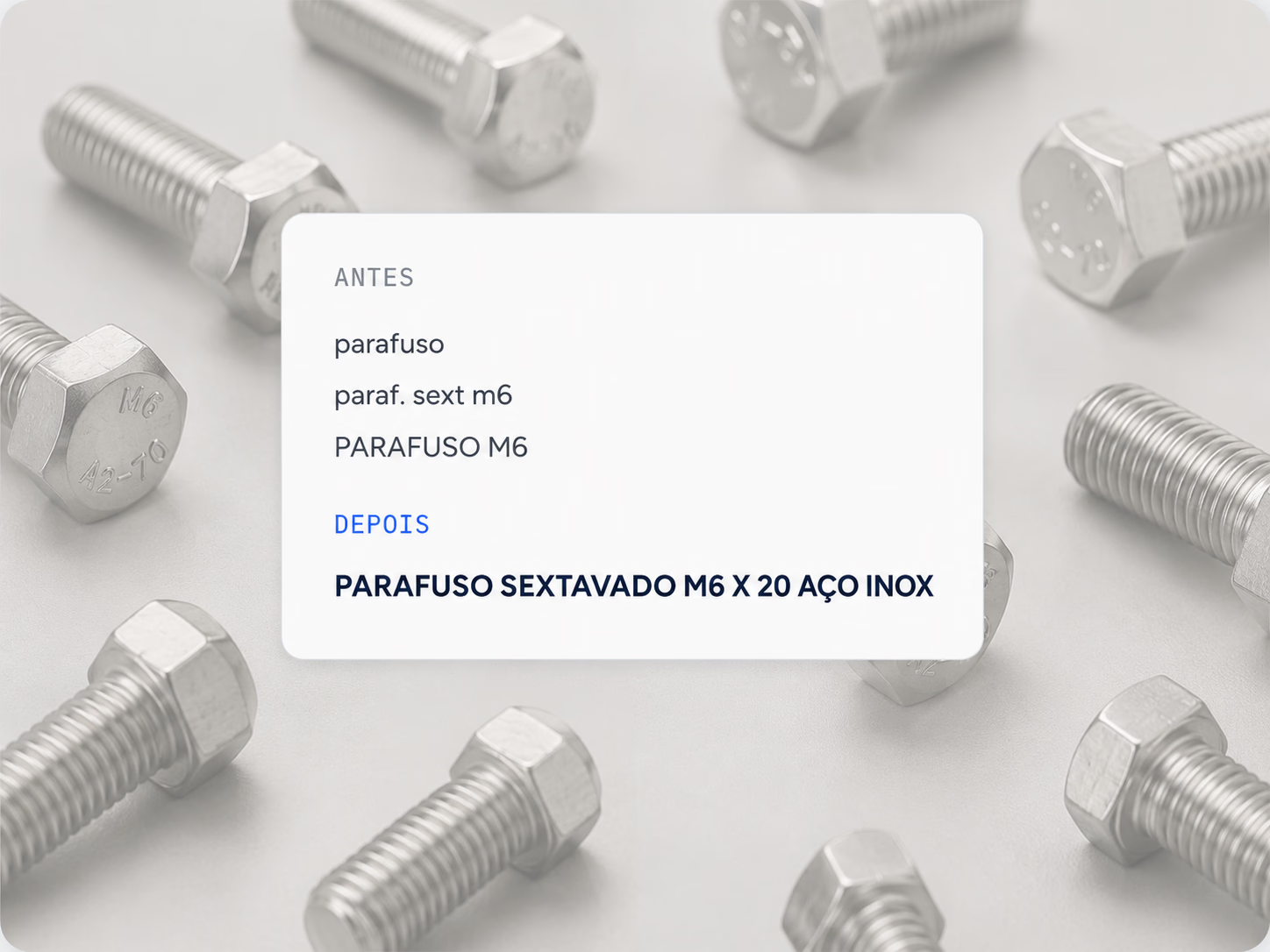
Stainless steel hex bolts scattered on a light background, with a card in the centre comparing a description before and after standardization.

Inside

What you will find inside

The spreadsheet has two tabs that work together: one to register keywords and their rules, another to build the product description. Each tab brings a short step by step, yellow fields for you to fill in and grey fields with the calculated result. The instructions remind you to keep the list in alphabetical order and to type words exactly as they were registered, paying attention to accents.

  1. Chapter 01

    Build your description

    The tab where you type the words of the product into the yellow fields and see the partial version, the final description and the character count in the grey fields.

  2. Chapter 02

    Keywords

    The tab where words are registered in capital letters, with the abbreviation, the flag to ignore the word when it comes first and the flag to exclude it from the description.

Download the standardization spreadsheet

Fill in the form on this page and the download button appears right away.

More materials on this topic

EbookPDF

General · 26 MB

Brazilian tax reform

Understand how the Brazilian tax reform affects your master data records.

Protected fileView and download